Labor I · Clio, the Auditor
Crawl Readiness Index™ audit
The audit reads your website the way an AI crawler does. It gives a Crawl Readiness Index™ (CRI™) score made of five measures and lists problems in the order you should fix them.
Where to find it: Top bar → Audit (Domain Intelligence).
Steps
- 1
Click Audit in the top bar.
- 2
Type your website address in the Site Audit box. Leave Page Budget (how many pages to read) and Max Depth (how many clicks deep) as they are for your first try.
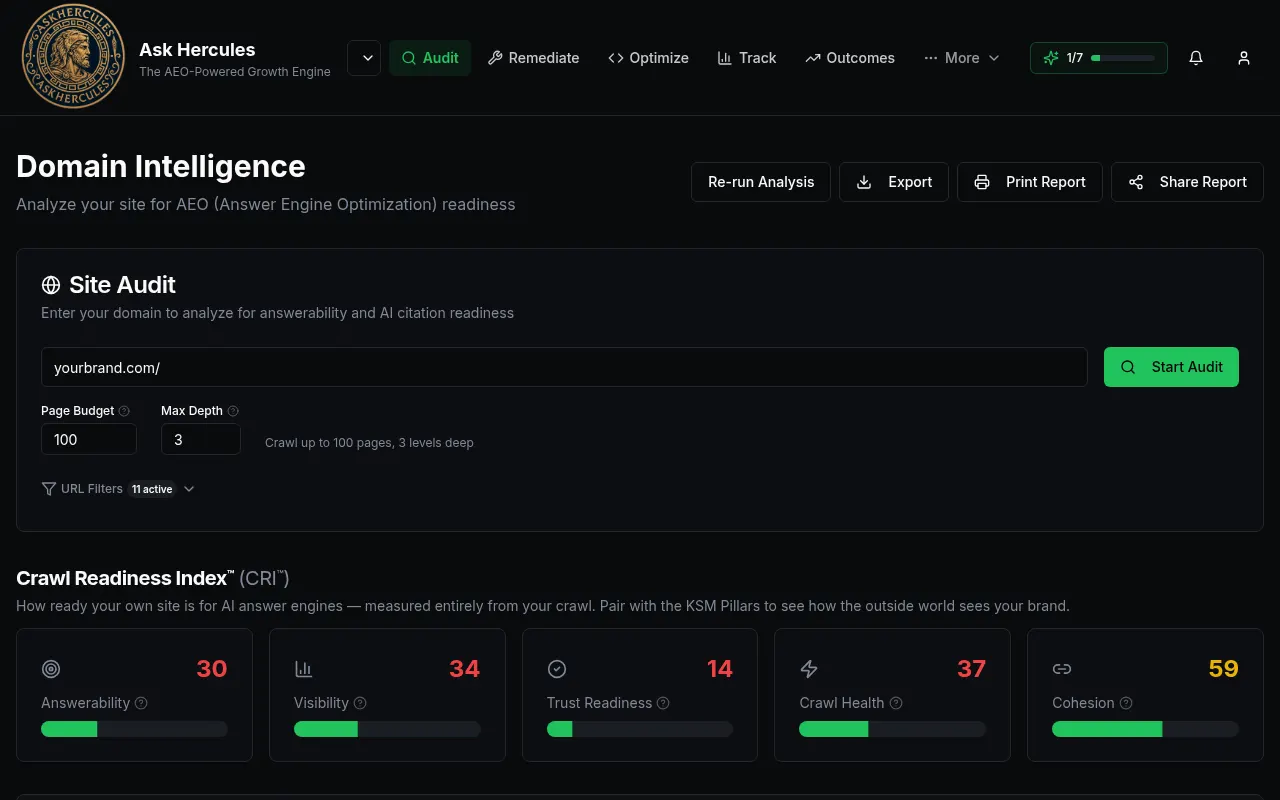
Customer details in screenshots are hidden or replaced with sample text. - 3
Press "Start Audit". It can take several minutes. You can leave the page; you get a notice and an email when it is done.
- 4
Read your five scores: Answerability, Visibility, Trust Readiness, Crawl Health and Cohesion. Higher is better (0–100).
- 5
Open the Issues tab to see every problem, sorted by priority. Press "Fix these issues" to send them to Domain Remediation.
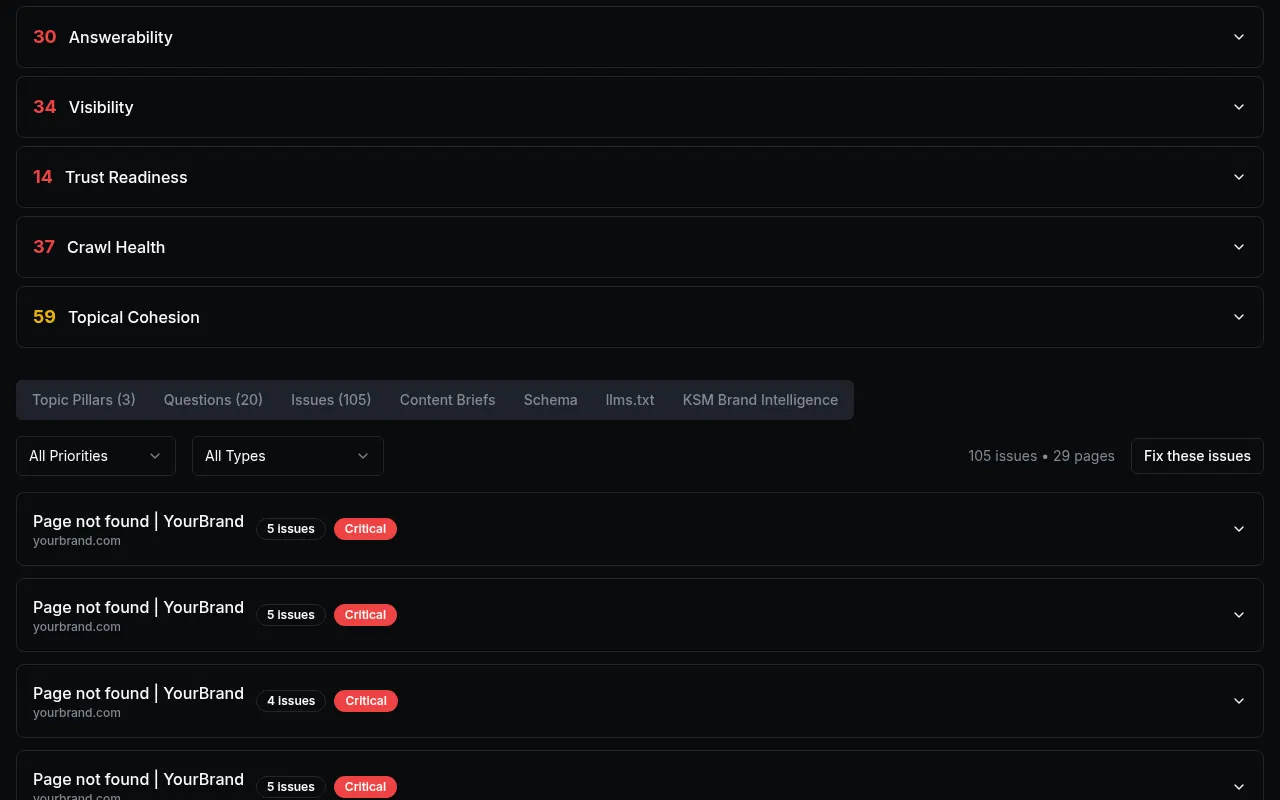
Customer details in screenshots are hidden or replaced with sample text.
What you'll see
- Red badges mean "Critical" — fix those first.
- Each score has a small (i) icon that explains it in one line.
- "Re-run Analysis" runs the audit again after you make fixes.
Common problems
- Lots of "Page not found" issues.
- These are links on your site that lead to missing pages. Fix or remove the links, then re-run the audit.
- The audit seems stuck.
- Large sites take longer. Wait a few minutes, refresh the page, and check the bell icon for a finished notice.