Labor IV · Urania, the Tracker
Share of voice and competitors
See who AI recommends instead of you and compare scores side by side.
Where to find it: Track → Competitors tab, and Outcomes.
Steps
- 1
Click Track and open the Competitors tab.
- 2
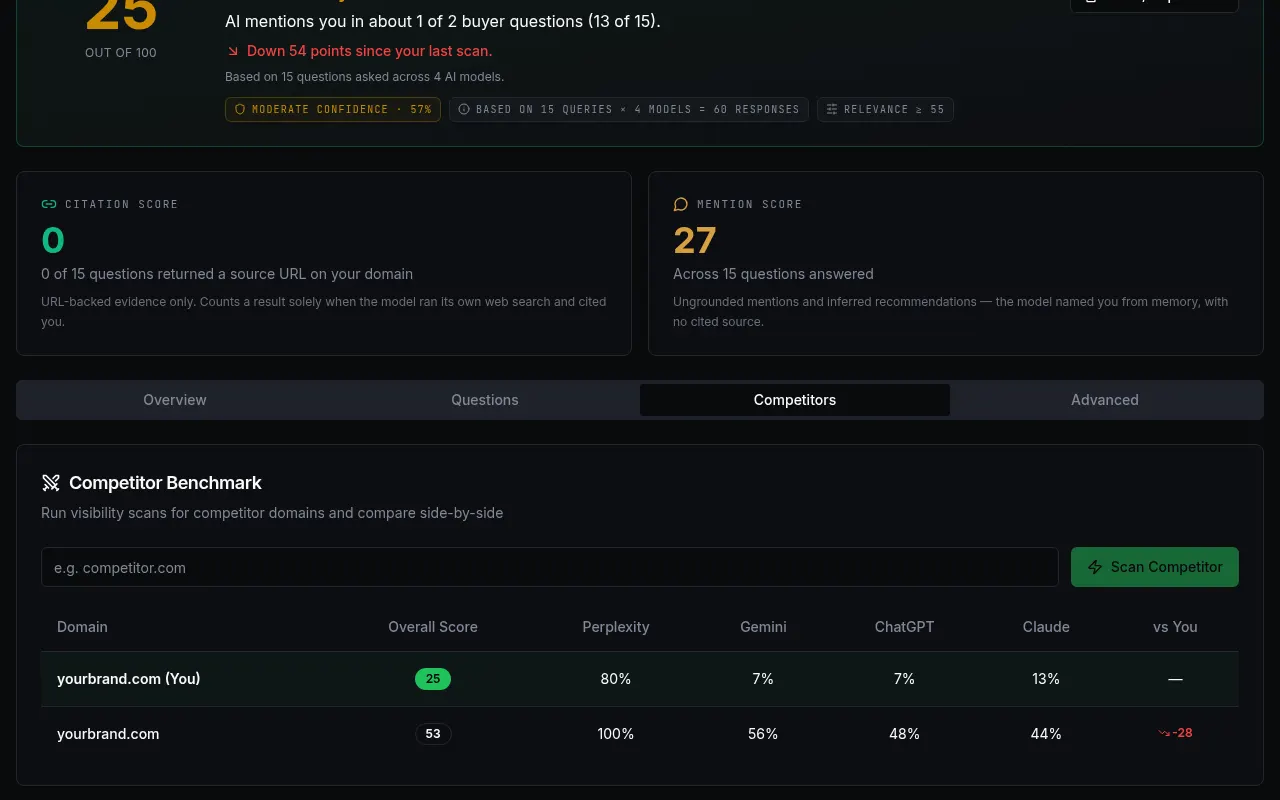
Type a competitor website and press "Scan Competitor".
Customer details in screenshots are hidden or replaced with sample text. - 3
Compare overall scores and each engine. The "vs You" column shows the gap.
- 4
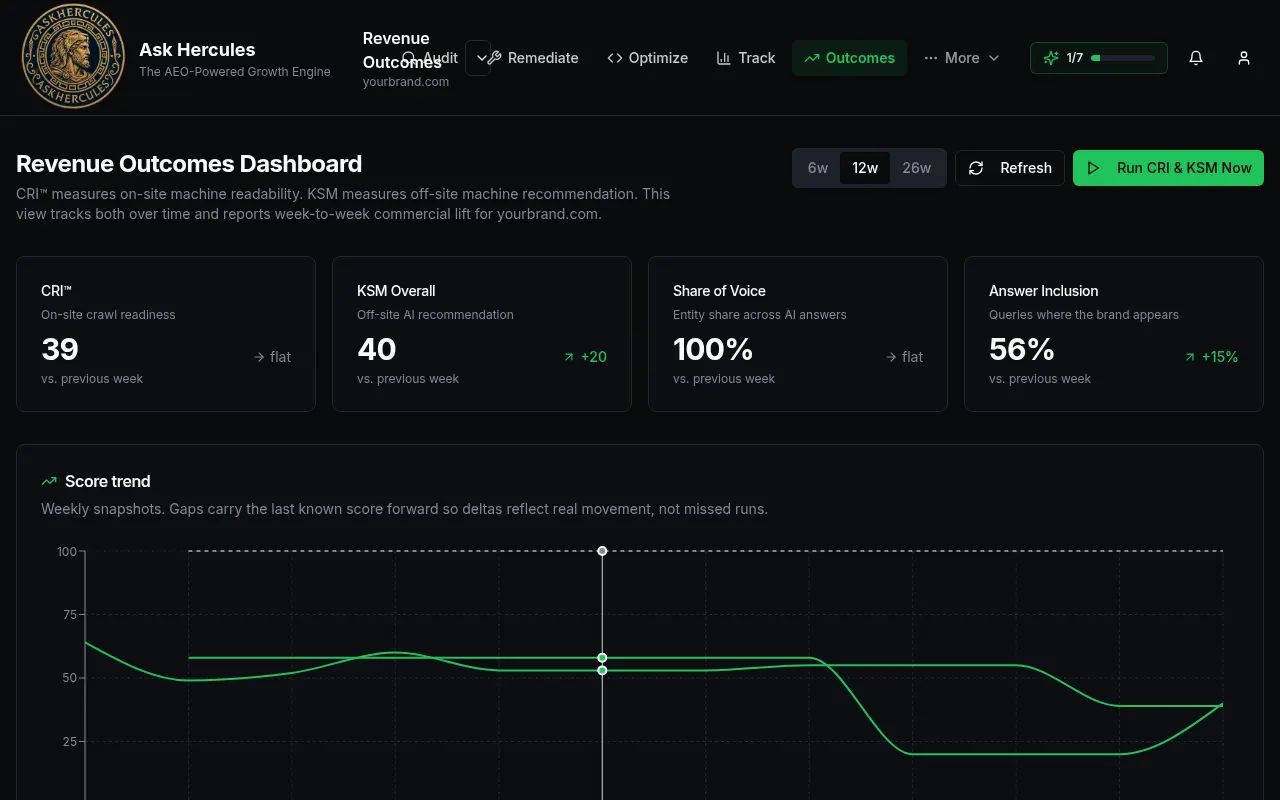
Open Outcomes in the top bar to see share of voice and scores over weeks.
Customer details in screenshots are hidden or replaced with sample text.
What you'll see
- Your own brand is marked "(You)".
Common problems
- A competitor scan is empty.
- Check the address is right and try again.