Labor IV · Urania, the Tracker
Citation Tracking across 4 engines
Asks ChatGPT, Claude, Gemini and Perplexity real buyer questions and shows each answer. It keeps two things separate: AI naming you, and AI linking to your website as a source.
Where to find it: Top bar → Track.
Steps
- 1
Click Track. Check the brand shown under "Showing results for".
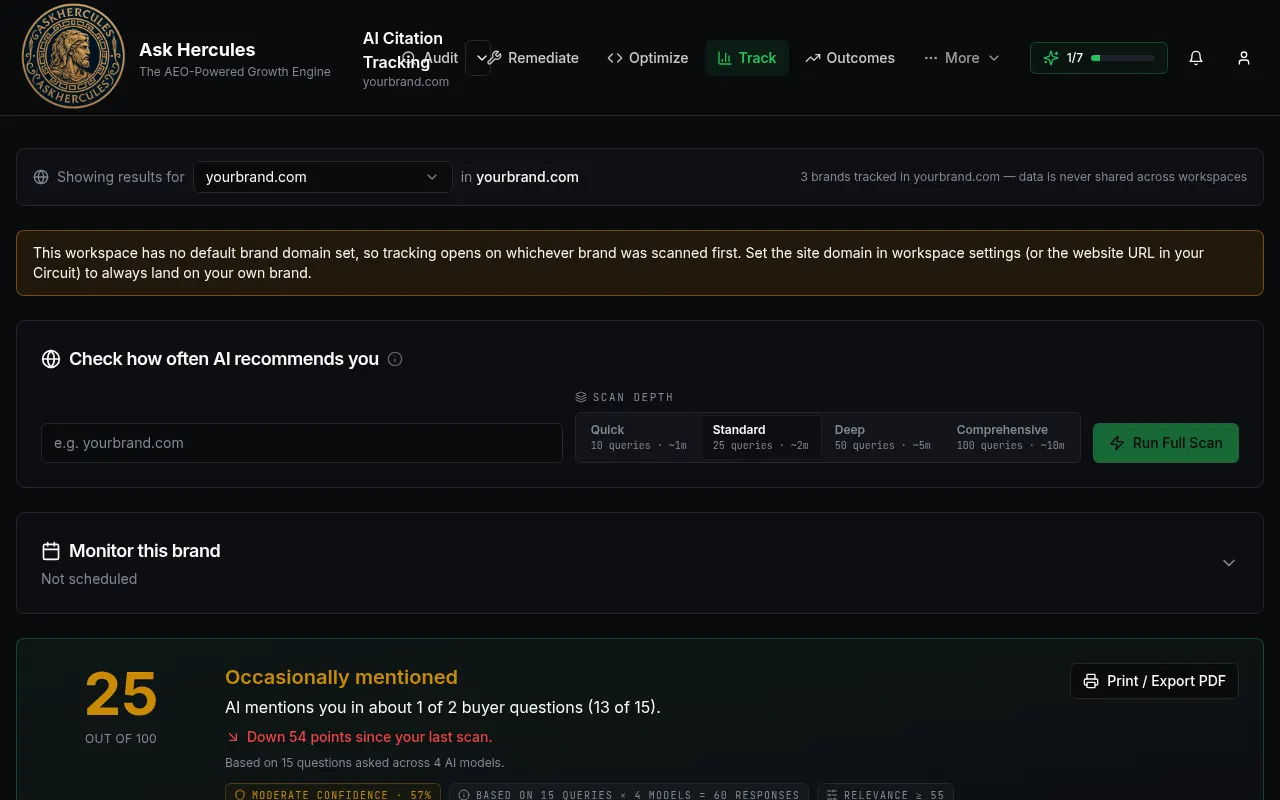
Customer details in screenshots are hidden or replaced with sample text. - 2
Pick a scan depth (Quick, Standard, Deep or Comprehensive) and press "Run Full Scan".
- 3
Read your score and the two cards: Citation Score (AI linked to your site) and Mention Score (AI named you without a link).
- 4
Open the Questions tab to see each question and how each engine answered.
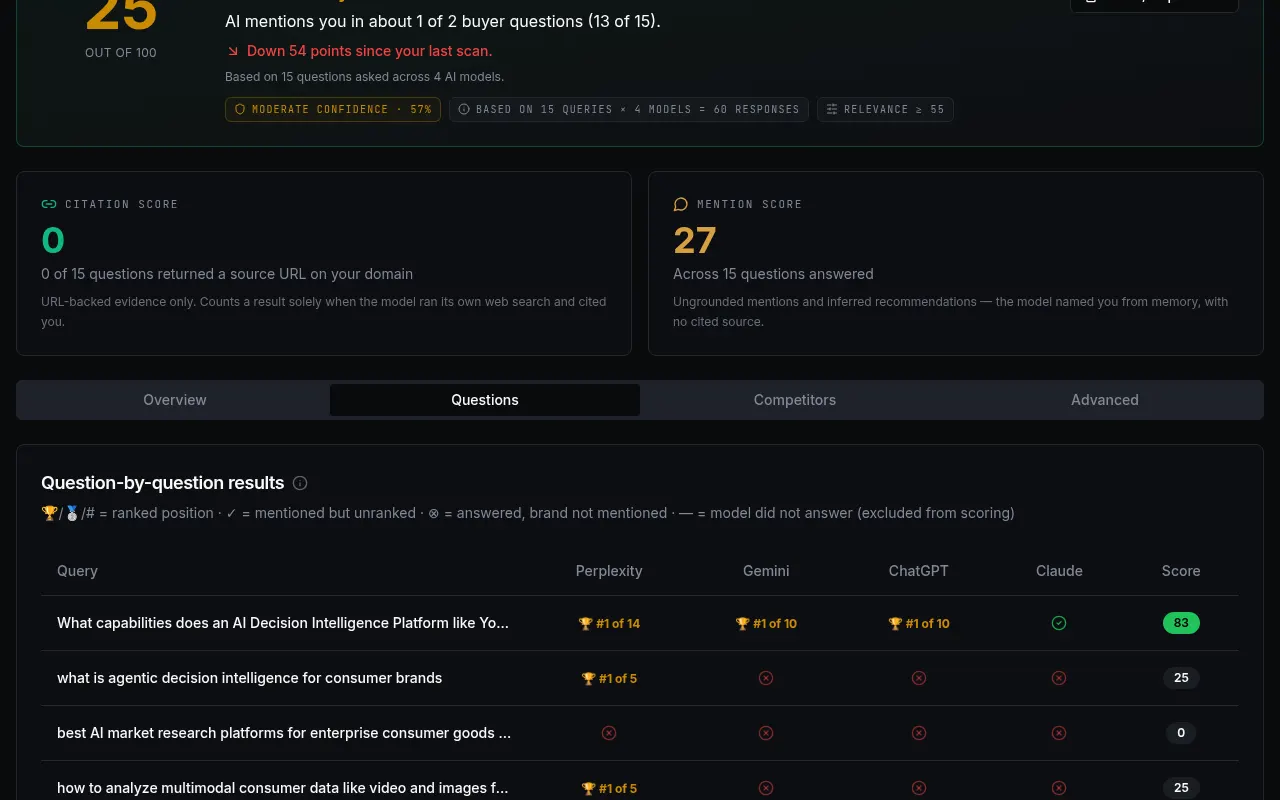
Customer details in screenshots are hidden or replaced with sample text.
What you'll see
- A trophy with "#1 of 10" means you were ranked first in that answer.
- A dash means the engine did not answer; it is not counted against you.
Common problems
- A yellow box says no default brand domain is set.
- Add your website in Workspace Settings or Circuit Setup so tracking opens on your brand.