Start here
Sign up and set up your brand
This is where every account begins. You tell Ask Hercules who your customer is and what your website is. Every other tool uses these answers, so a few careful minutes here make everything else better.
Where to find it: Sign up at askhercules.app, then open More → Circuit Setup.
Steps
- 1
Go to askhercules.app and press "Start your 7-day free trial". Enter your email and a password, or sign in with Google.
- 2
After you sign in, you land on your workspace home. It shows three big steps: Audit, Optimize and Track.
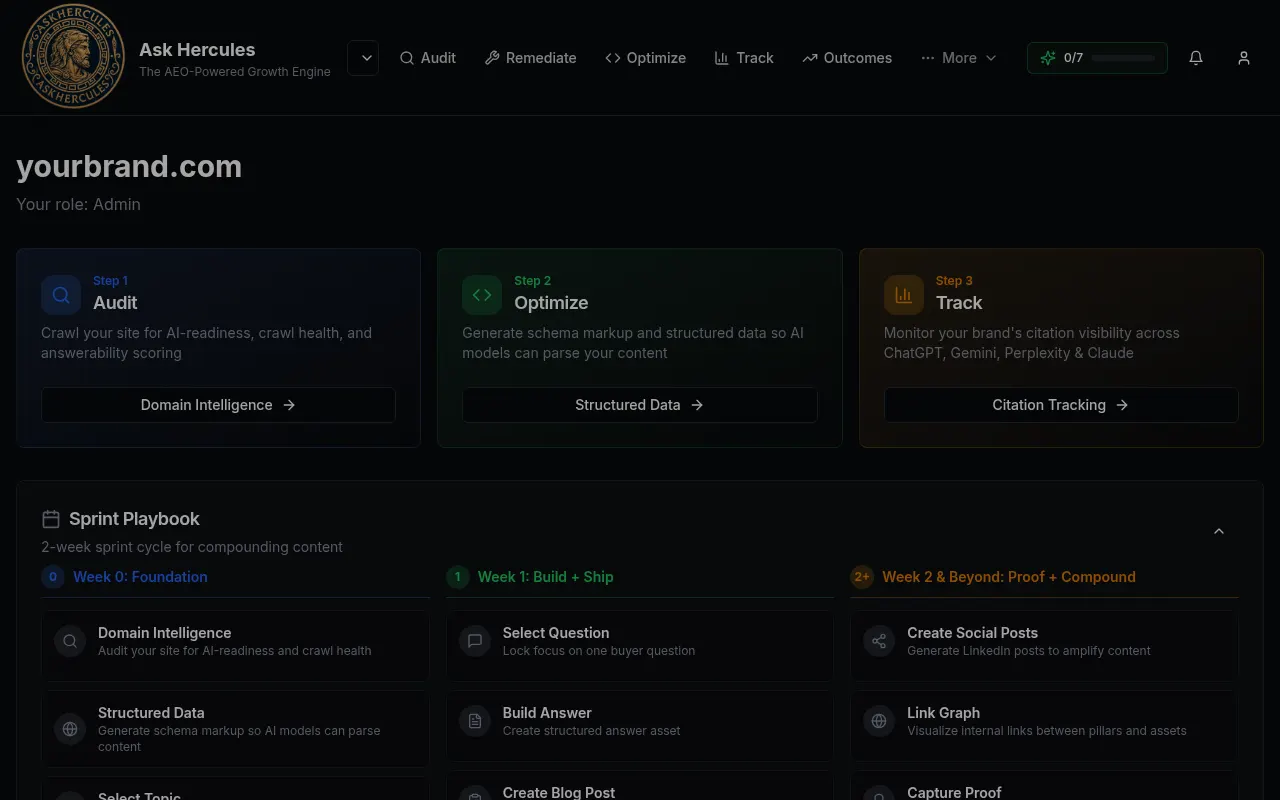
Customer details in screenshots are hidden or replaced with sample text. - 3
Open More → Circuit Setup. Fill in each step across the top: Ideal Customer, Website, Brand Voice, Competitors, Content Goal, Format, Channel and Proof & Activation.
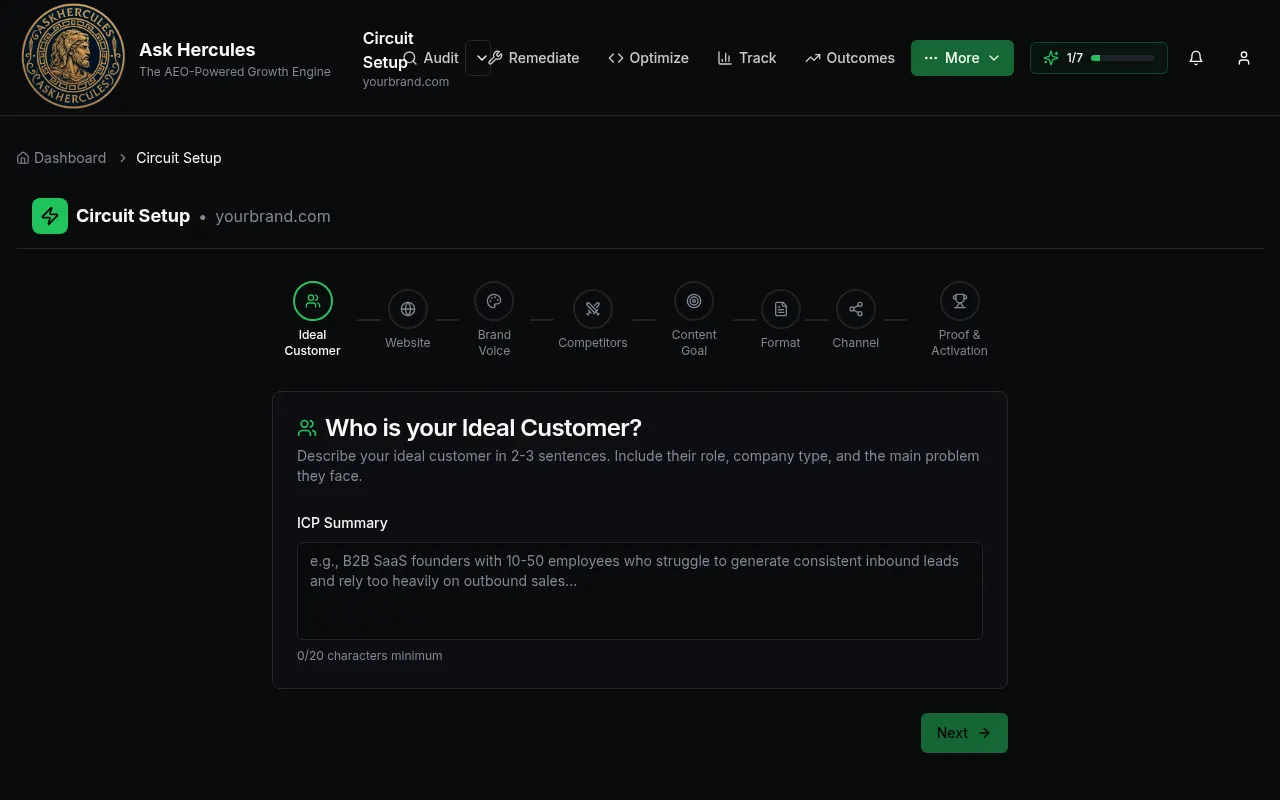
Customer details in screenshots are hidden or replaced with sample text. - 4
Write 2–3 sentences for each answer, then press Next. You can come back and change answers later.
What you'll see
- A progress counter (like "1/7") at the top of the screen shows how much setup you have finished.
- Once Circuit Setup is done, tools like Pillar Builder and AI Suggest unlock.
Common problems
- Pillar Builder says to finish Circuit Setup first.
- Go back to More → Circuit Setup and complete every step, then try again.
- I signed up but see a different brand name.
- Use the workspace menu at the top left to switch to the right workspace.