October 19, 2026
91 Things You Can Do With Ask Hercules
From buyer questions and AI visibility scans to schema, publishing and website fixes: 91 practical things you can do with Ask Hercules.
Ask Hercules supports work from buyer-question planning and AI visibility testing through content production, publishing and website repair. Here are 91 practical things you can do with it, grouped by the job you're trying to get done.
Plan around your brand and buyers
Save your ideal customer profile, website, brand voice and content goals so AI drafting has business context.
Add alternative brand names and spellings for recognition in brand visibility scans.
Build a buyer-question bank and organize questions by buying stage, revenue impact, sales frequency and tags.
Generate buyer-question ideas tailored to your customer profile and gaps in your existing question bank.
Get AI-suggested competitors, review the suggestions and maintain the domains you want to compare.
Generate pillar-topic candidates with supporting questions and AI estimates of revenue relevance, winnability and cluster potential.
Test and track AI visibility
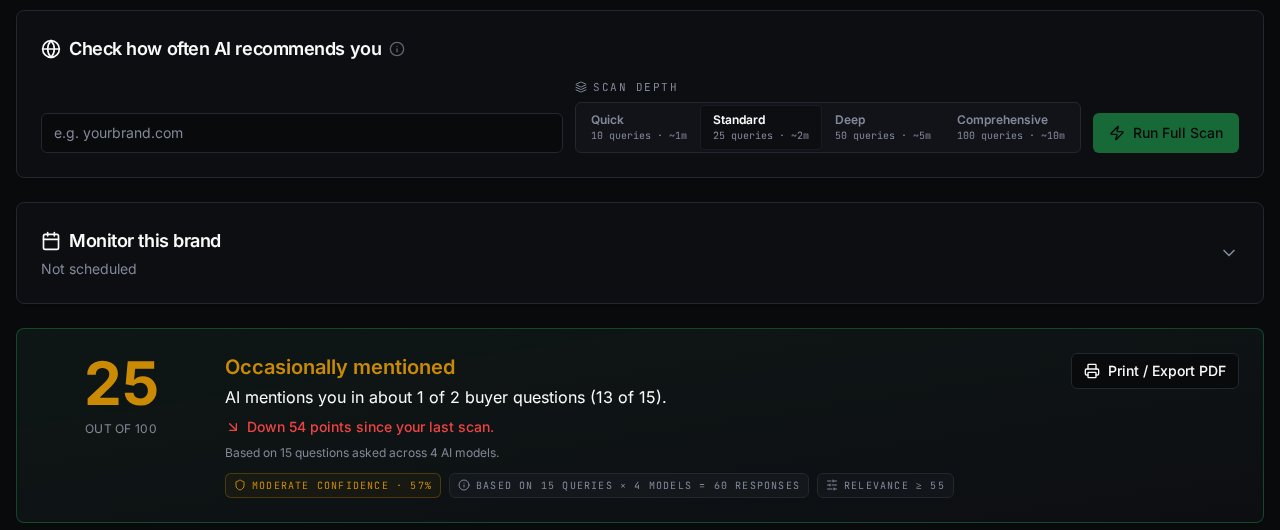
Test a buyer question against the configured OpenAI, Claude, Gemini and Perplexity models through API-based scans.
Choose quick, standard, deep or comprehensive scans with target question sets of 10, 25, 50 or 100.
Pin priority questions so they remain included in future brand scans.
Adjust the relevance threshold to focus scan results on questions that fit your business.
Compare your brand presence across the models that answered a scan.
Compare your brand with selected competitors in the sampled AI responses.
Find tested questions where your brand is missing and use those gaps to guide content work.
Open the source URLs returned with citation results to inspect the supporting pages.
Distinguish retrieved citations, ungrounded mentions and inferred recommendations in the evidence views.
Read stored AI answers and inspect available model, response and retrieval metadata.
Flag questionable responses or citations and track their review status and notes.
Compare a scan with an earlier baseline and inspect changes alongside warnings about differing samples.
Schedule recurring brand scans weekly, every two weeks or monthly.
Export visibility run history to CSV for reporting and analysis.
Find website issues that affect readiness
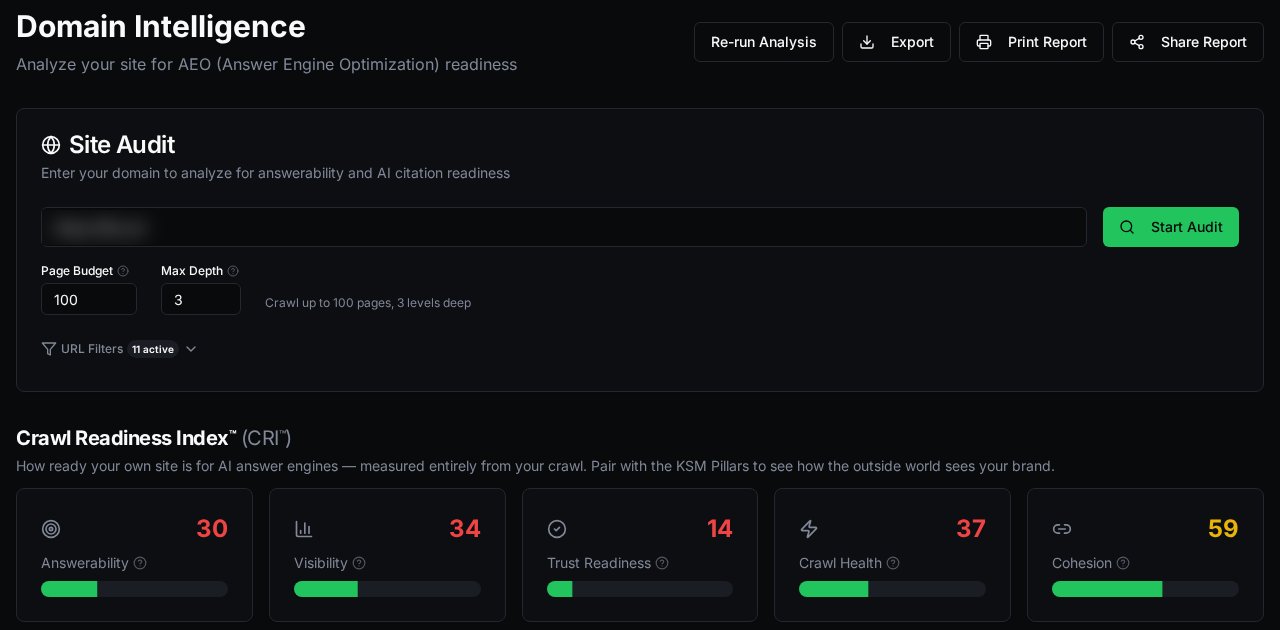
Crawl your website with a chosen page budget, depth and exclusion rules.
Review Crawl Readiness Index scores for answerability, visibility, trust readiness, crawl health and topical cohesion.
Inspect crawled pages for their headings, word count, detected schema and answerability score.
Find missing H1 headings and missing or short meta descriptions.
Identify thin pages and pages with few incoming links in the crawl.
Flag schema types found only in rendered HTML, compared with the available raw HTML.
Find pages that lack the concise answer paragraphs detected by the audit.
Identify missing publication or modification date signals in structured content.
Find pages with low image alt-text coverage.
Review detected noai or noimageai metadata as potential restrictions requiring investigation.
Filter page recommendations by issue type and priority to organize the fix list.
Generate, edit, version and download an llms.txt draft from your audit.
Export audit findings as CSV, JSON or Markdown, print a report, or enable a public report link.
Review brand identity and authority signals
Run a KSM assessment of structured extractability, entity salience and citation authority.
Review external profile candidates and brand-presence signals found during KSM analysis.
Turn KSM findings into suggested tasks with effort and estimated score lift, then mark tasks done or dismissed.
Create content and reuse your evidence
Draft structured answers with a definition, common failure modes, evaluation criteria and FAQs in your chosen brand voice.
Capture your own metrics, quotes, before-and-after examples and lessons learned as reusable proof.
Format and insert saved proof into the relevant sections of an answer asset.
Create checklist, scorecard and assessment content to accompany an answer.
Turn an answer asset into an editable blog draft with a title, excerpt and suggested SEO metadata.
Generate a featured image from a blog title and excerpt.
Repurpose pillars, blogs, answers or activation assets into LinkedIn drafts, then copy them for posting.
Build and publish useful answer resources
Build a pillar resource with a direct answer, intended audience, framework and supporting FAQs.
Regenerate selected pillar sections while keeping the rest of the draft.
Run Citeability checks for selected schema, pillar references, internal links and claims that need source citations.
Check a pillar URL for HTTPS, HTTP accessibility, response time, noindex, a canonical tag, structured data and social metadata.
Publish blog posts, FAQ resources and pillar pages to a connected WordPress site.
Make published answer assets available through a public Ask Hercules knowledge-base page.
Embed published FAQs on another website using the supplied widget code.
Export pillar or knowledge-base content as HTML for your own site; download pillar drafts as Markdown.
Create and deliver structured data
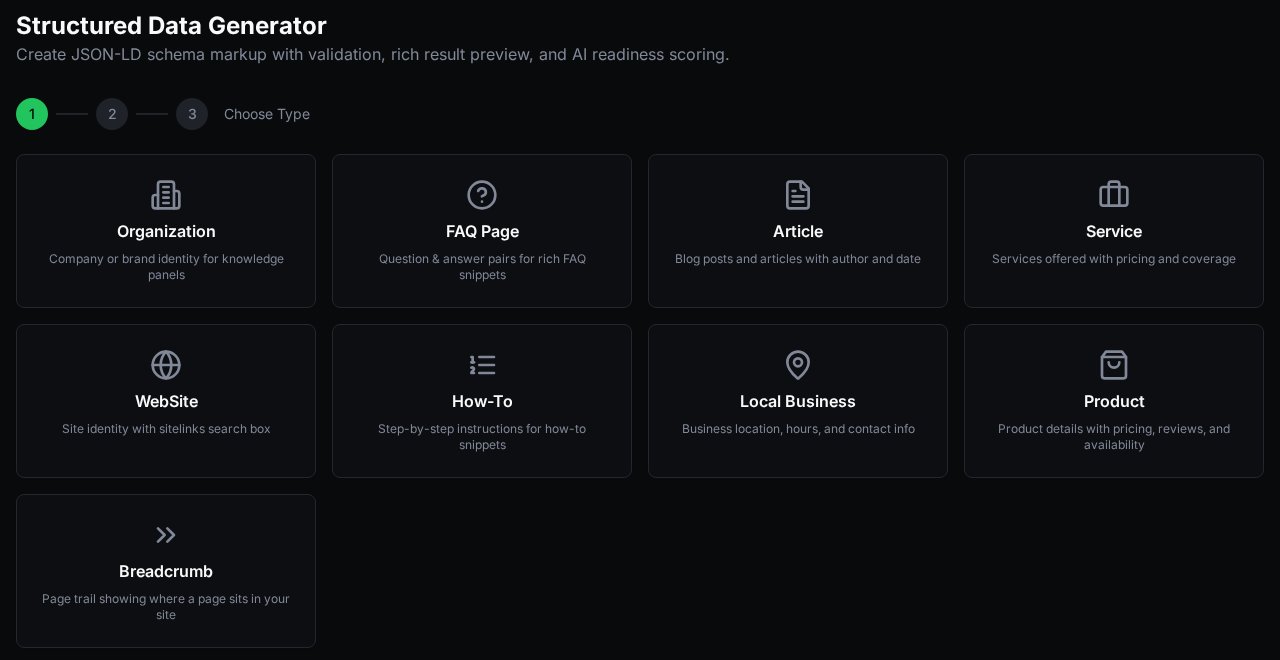
Generate JSON-LD from a URL or entered fields for Organization, FAQPage, Article, Service, WebSite, HowTo, LocalBusiness, Product or BreadcrumbList.
Review schema field errors, warnings, unchanged defaults and the product's readiness assessment before publishing.
Edit, save, copy or download schema JSON-LD for implementation.
Inject generated schema into a compatible page on a connected WordPress site.
Serve public schema through an endpoint or push saved schema to a configured REST endpoint.
Inspect content connections and external links
Visualize relationships between stored pillars and answer assets, including content with no recorded connections.
Get internal-link suggestions between related content and save accepted suggestions to the link map.
Import backlink records, anchor text and authority scores through configured Semrush API access.
Import external-link or referral records from CSV into your workspace graph.
Inspect, filter and export combined internal-link, backlink, citation, listing and referral records.
Strengthen local business information
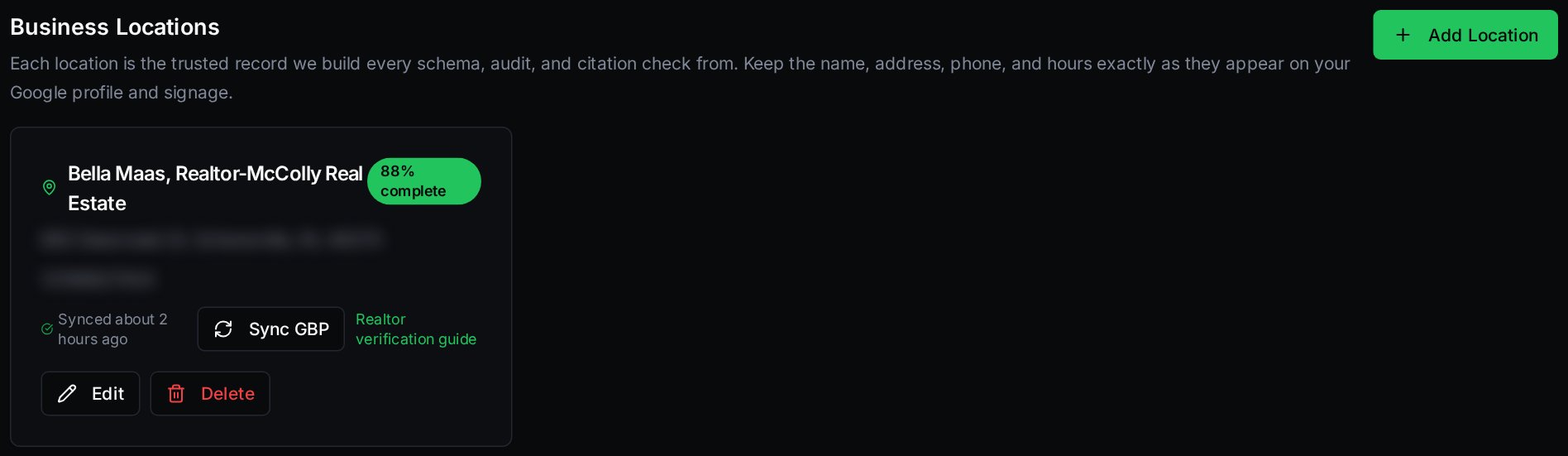
Maintain business locations with contact details, addresses, service areas and opening hours.
Read an accessible public Google Business Profile URL and compare extracted details with your saved business information.
Generate and download LocalBusiness schema from a saved location.
Test location-specific buyer questions for brand mentions and save the results against a location.
Turn audit findings into reviewed website fixes
Bring audit recommendations into a repair queue organized by page, priority, category and status.
Generate repair proposals for individual issues or a bundle of issues on one page.
Review, edit and approve proposed fixes before publication.
Publish supported fixes through connected WordPress, Webflow, Shopify or HubSpot integrations, within each connector's limits.
Open a GitHub pull request containing a repair document for a developer to review and implement.
Check live page HTML or fresh crawl data for the expected elements of a published fix.
Roll back supported CMS changes using their stored snapshots.
Enable automatic drafting of selected post-audit fixes, with priority and quantity controls and human approval for publishing.
Coordinate the work and monitor progress
Run a two-week content sprint covering a pillar, buyer question, answer, publication, proof and reinforcement.
Plan and reschedule content in a calendar spanning pillars, answers, blogs, LinkedIn drafts, proof and activation assets.
Manage separate brand or client workspaces and invite colleagues with assigned roles.
Review historical CRI and KSM scores and their changes over time.
Connect capabilities to your own tools
Use the CRI API to initiate audits and retrieve available scores, page results and recommendations, subject to your API tier.
Use the KSM API to initiate assessments and retrieve reports and available tasks, subject to your API tier.
Use the Citeability validation API to check submitted content for links, source needs and configured publishing requirements.
What's new: 11 more things you can do
Create a GBP Profile Pack with ready-to-paste Q&A, a structured list of services, a 750-character business description and suggested posts, then download it as a PDF or text file to update your Google Business Profile quickly.
See Local Citations results for each AI model separately, showing whether your business was named in the answer itself or your website was only listed as a source.
Set up a real estate agent profile with RealEstateAgent schema and brokerage details, and test a ready-made pack of 10 local buyer and seller questions.
Download a plain-language Word guide that walks realtors through Google Business Profile verification, including what to prepare and what to say if verification is rejected.
Download the Citeability WordPress plugin and its step-by-step install guide from the public Downloads page.
Have Ask Hercules automatically re-crawl your site and re-run your brand assessment every week, so your Crawl Readiness Index and KSM scores stay current without starting the scans yourself.
Follow your Crawl Readiness Index and KSM scores week by week in the Revenue Outcomes Dashboard, including citation frequency and how often AI answers include you, and see the week-to-week lift.
Ask the Oracle a buyer question and see, for each AI model, whether your brand was mentioned, which sources were cited, a visibility score and the content gaps to close.
Point visitors to the free AI visibility score on the Ask Hercules landing page, so they can check how their own site looks to AI before signing up.
Write Website Blog posts ahead of time and schedule them to go live automatically on a chosen date and time.
Request a consultation for one or more of the Labors on the Solutions page, and get a confirmation page once your request is received.
What to keep in mind
- AI visibility results are samples. Scans use API calls to the AI models. They are not consumer-app sessions, total AI market share or a promise of future recommendations.
- Some numbers are estimates. Winnability, expected lift and readiness scores are model estimates or rules of thumb, not measured traffic.
- Connected features need access. Publishing and repair need the relevant service connection, permissions and available quotas or credits. LinkedIn drafts are copied and posted by you; nothing posts automatically.
- No guarantees. None of these actions guarantees rankings, citations, leads or sales.
Get started
Try every item on this list free for 7 days. Start your 7-day free trial.
Want this analysis for your site?
Book a free AI Visibility Review with the Ask Hercules team.
Book your free AI Visibility review